Zipic
Compress images in bulk, simple as that. Drag in a folder, set a quality or target size, and get smaller files without losing quality. All local, no cloud.
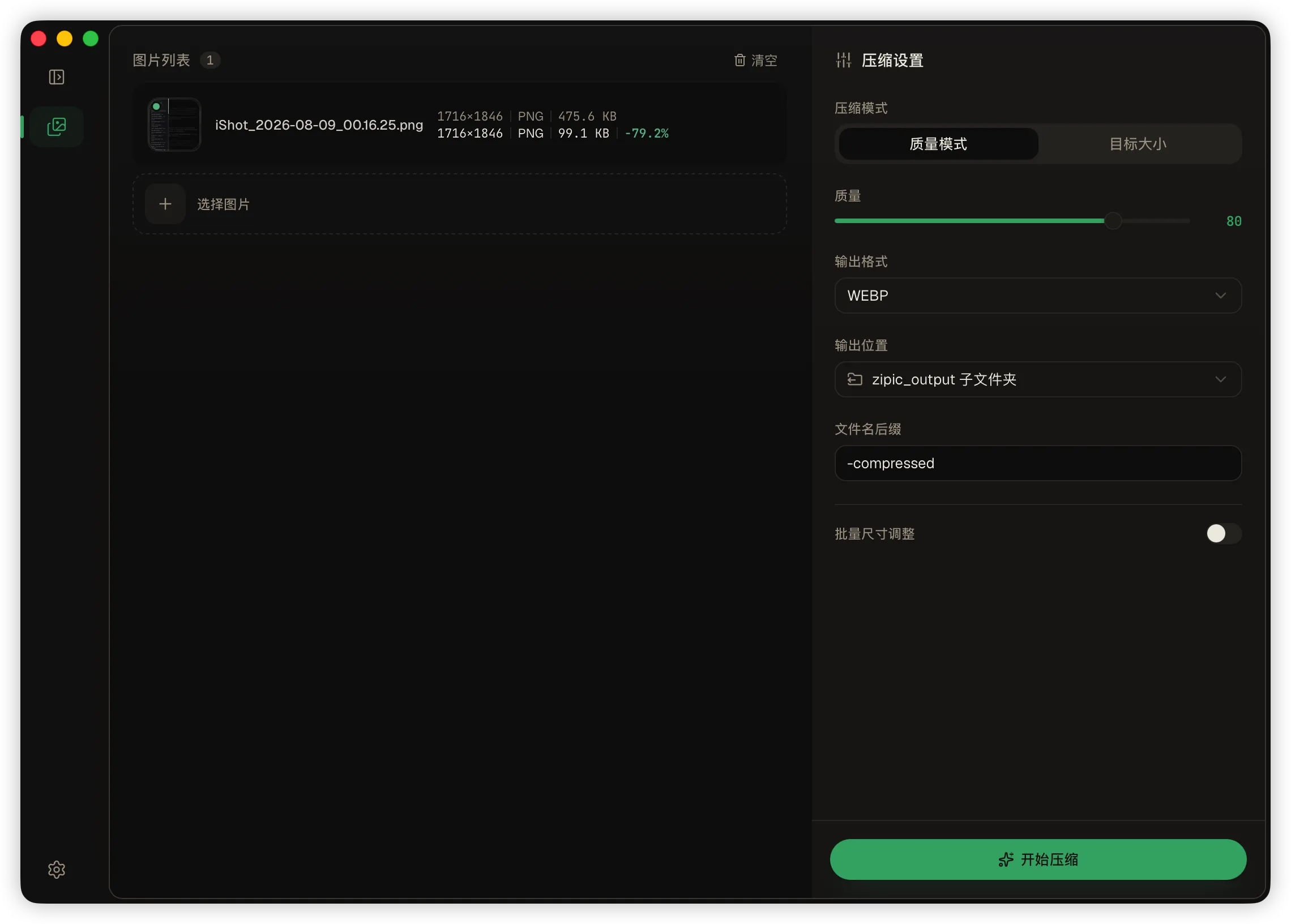
Batch image compression, simple as that.
Every image tool I found made me choose: an ugly web uploader, or a CLI I'd forget by next week. So I built Zipic — a native desktop app. Drag in a folder, get smaller files out. That's the whole pitch.
Three modes cover what people actually need:
- Quality — one slider, keeps the format
- Target size — give it a byte budget, it tunes the quality until the output fits
- Resize — downscale to a width or height, aspect locked, never upscales
Format conversion too: JPEG / PNG / WebP. Need a tighter crop on a few shots? Crop or resize one file, apply the same settings to the whole batch. The before/after preview has a draggable divider and a live size estimate while you tweak.
Every file reports its own outcome — before/after size, saved percentage — and one bad file never aborts the batch. Output goes to a zipic_output/ folder next to your originals; existing files are never touched.
Under the hood it's a Rust engine (MozJPEG, libwebp, oxipng) with zero system-library dependencies — no brew install, no apt packages. Everything runs locally, so your images never leave your machine.
macOS + Windows, 中文/English UI, MIT licensed. v0.1.0 is live — grab the release.